

Overview
Caspian is an IT platform. It connects to a company’s identity provider, SaaS apps and laptops, and runs the IT side of joining, moving and leaving. The HiBob integration makes Bob the source for those events: when HR adds a hire in Bob, Caspian can set up their accounts, laptop and app access before their first day, and when HR enters a last day, Caspian can remove their access in the other apps on time. The integration only reads from Bob. Caspian never changes anything in Bob.Before you start
- A Bob account with the rights to install apps from the Bob Marketplace (usually a Bob admin).
- A Caspian workspace at app.getcaspian.io and a Caspian admin login. A new workspace first connects its identity provider (Microsoft Entra ID, Google Workspace or Okta); that is the directory where Caspian creates and removes accounts. See Connect your identity provider.
- About five minutes.
Install the app
You can start from either side. Both end on the same Bob consent screen, where you sign in to Bob; Caspian never asks for a Bob password or API token.From the Bob Marketplace
1
Find Caspian in Bob
In Bob, open the Bob Marketplace, search for Caspian and click Install.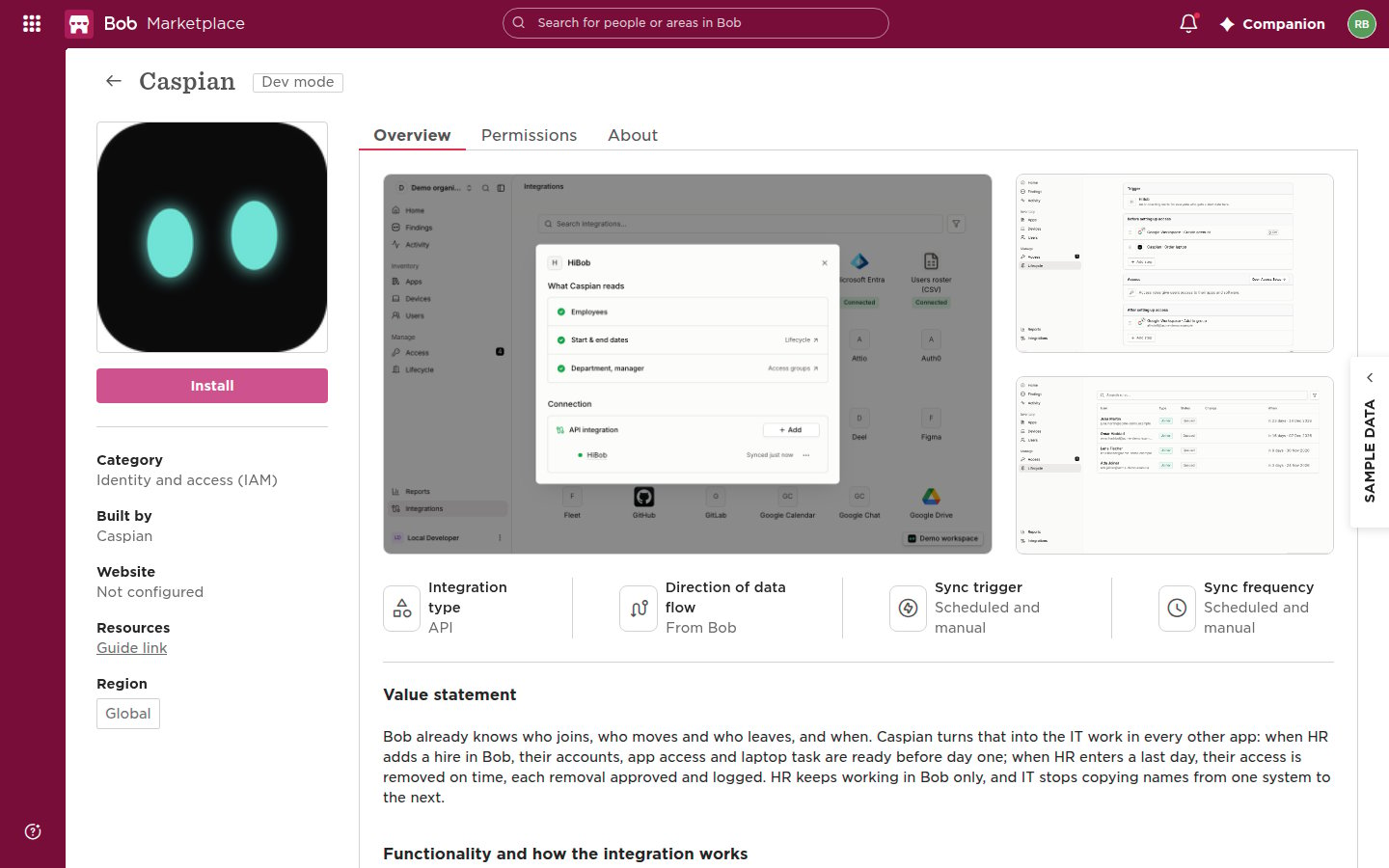
2
Land on Caspian's HiBob page
Bob opens app.getcaspian.io/integrations?integration=hibob. Sign in to Caspian if asked, then click Connect.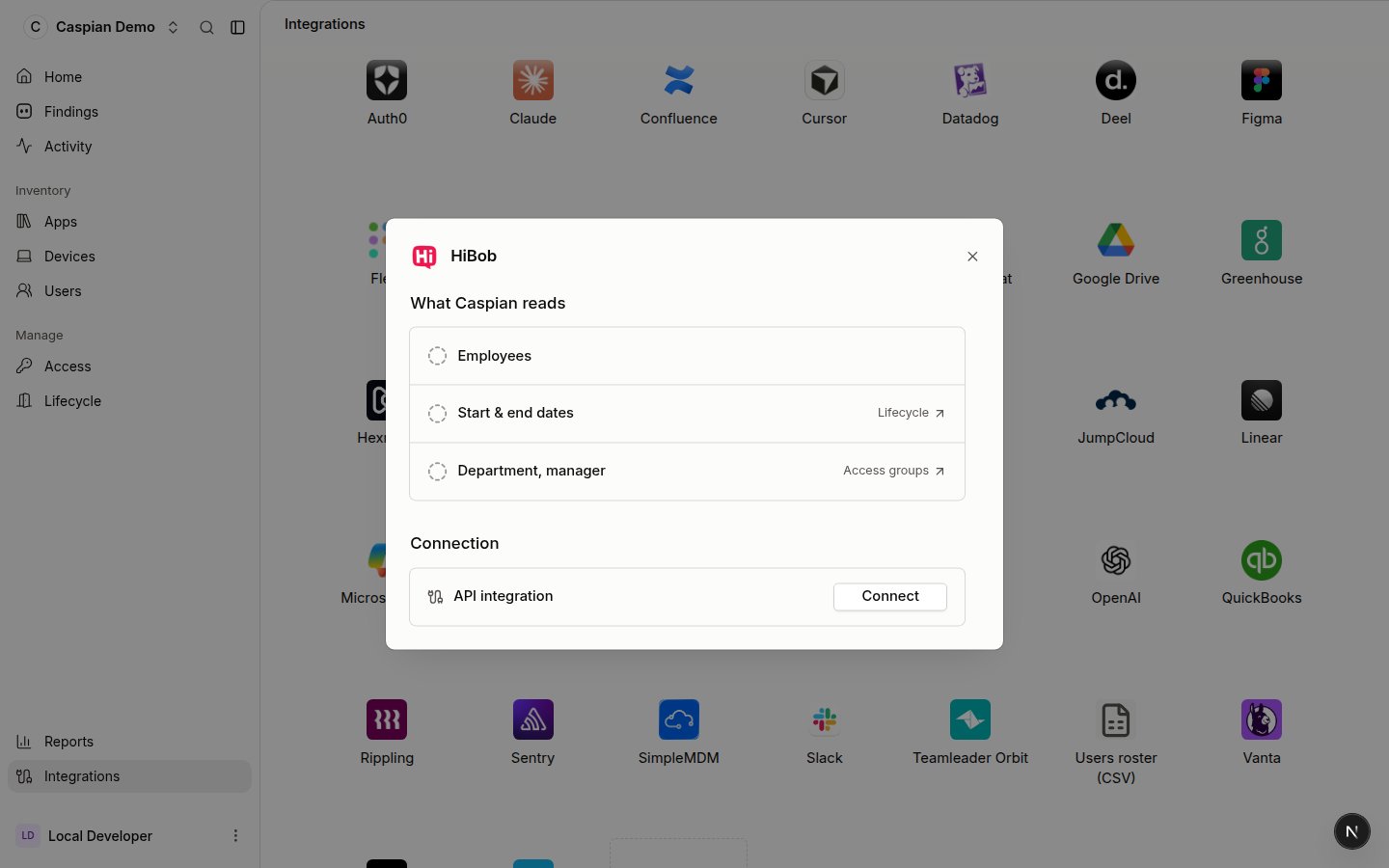
3
Approve access in Bob
Bob shows its consent screen with the data Caspian asks to read. Under People data access, choose All company: Caspian needs every employee, including hires who have not started yet and people who left, to run onboarding and offboarding for them. Click Authorize.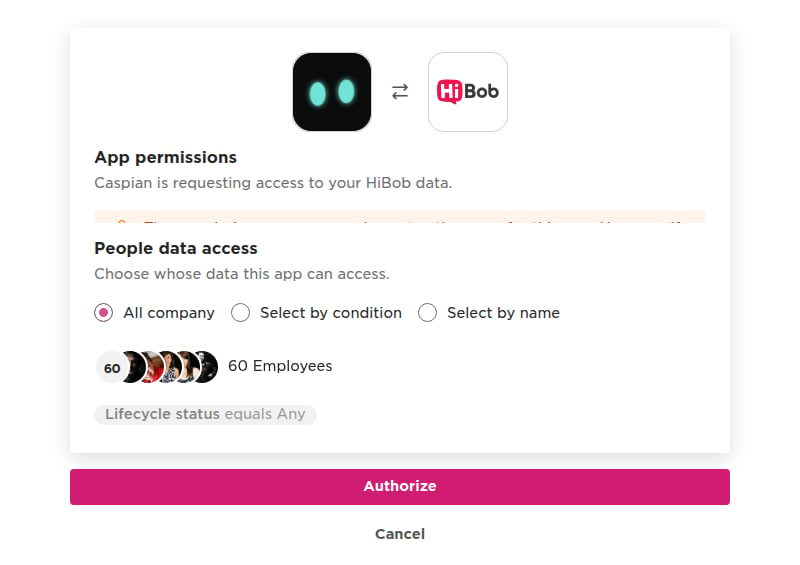
4
Back in Caspian
Bob sends you back to Caspian, which shows HiBob as connected and reads Bob for the first time right away.
From Caspian
1
Open HiBob in Caspian
Open app.getcaspian.io/integrations?integration=hibob, or in Caspian go to Integrations and click the HiBob tile (search for HiBob, or filter on HR).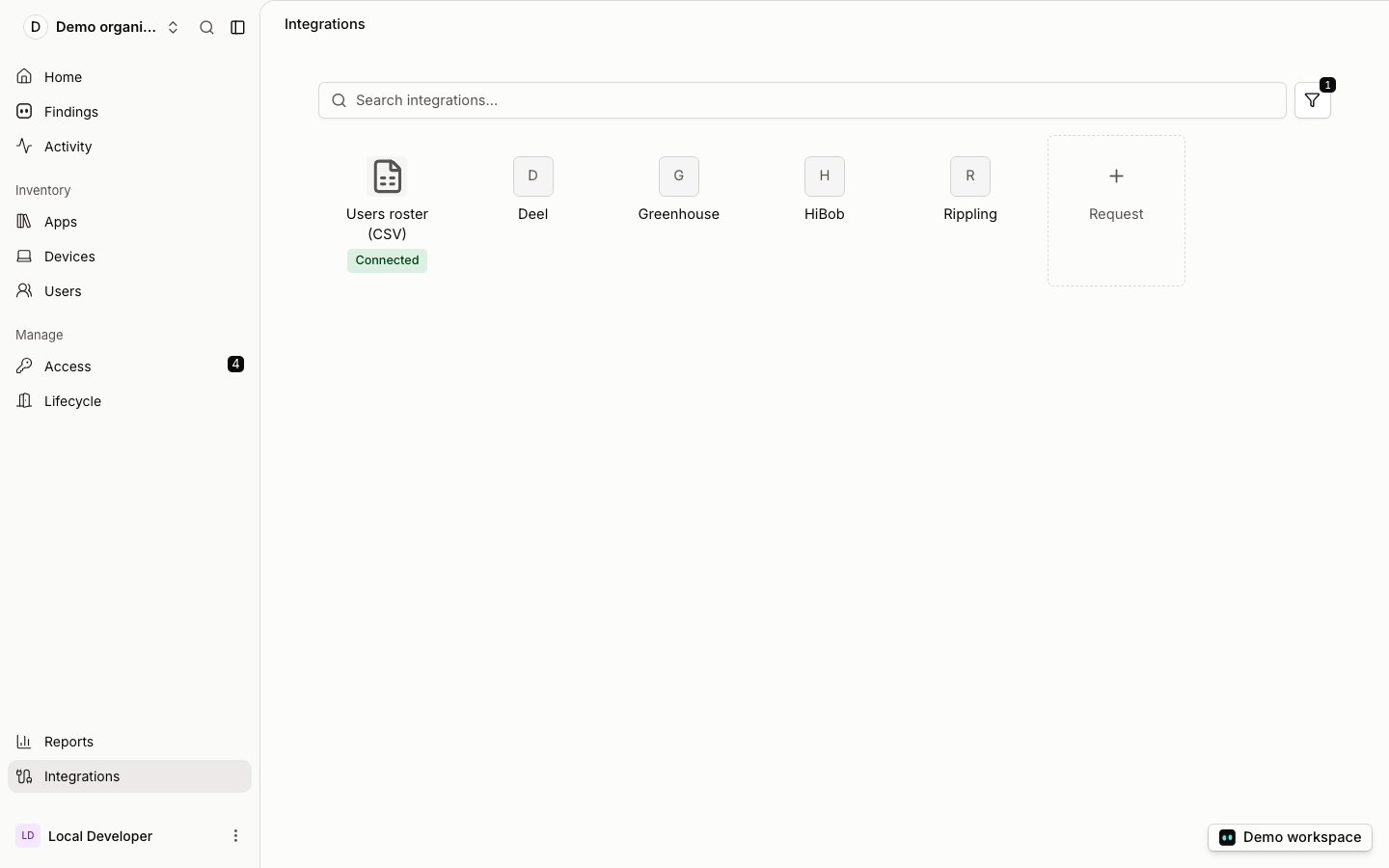
2
Connect
Click Connect. Bob opens its consent screen; sign in to Bob if asked.
3
Approve access in Bob
Under People data access, choose All company, then click Authorize. Bob sends you back to Caspian, which shows HiBob as connected.
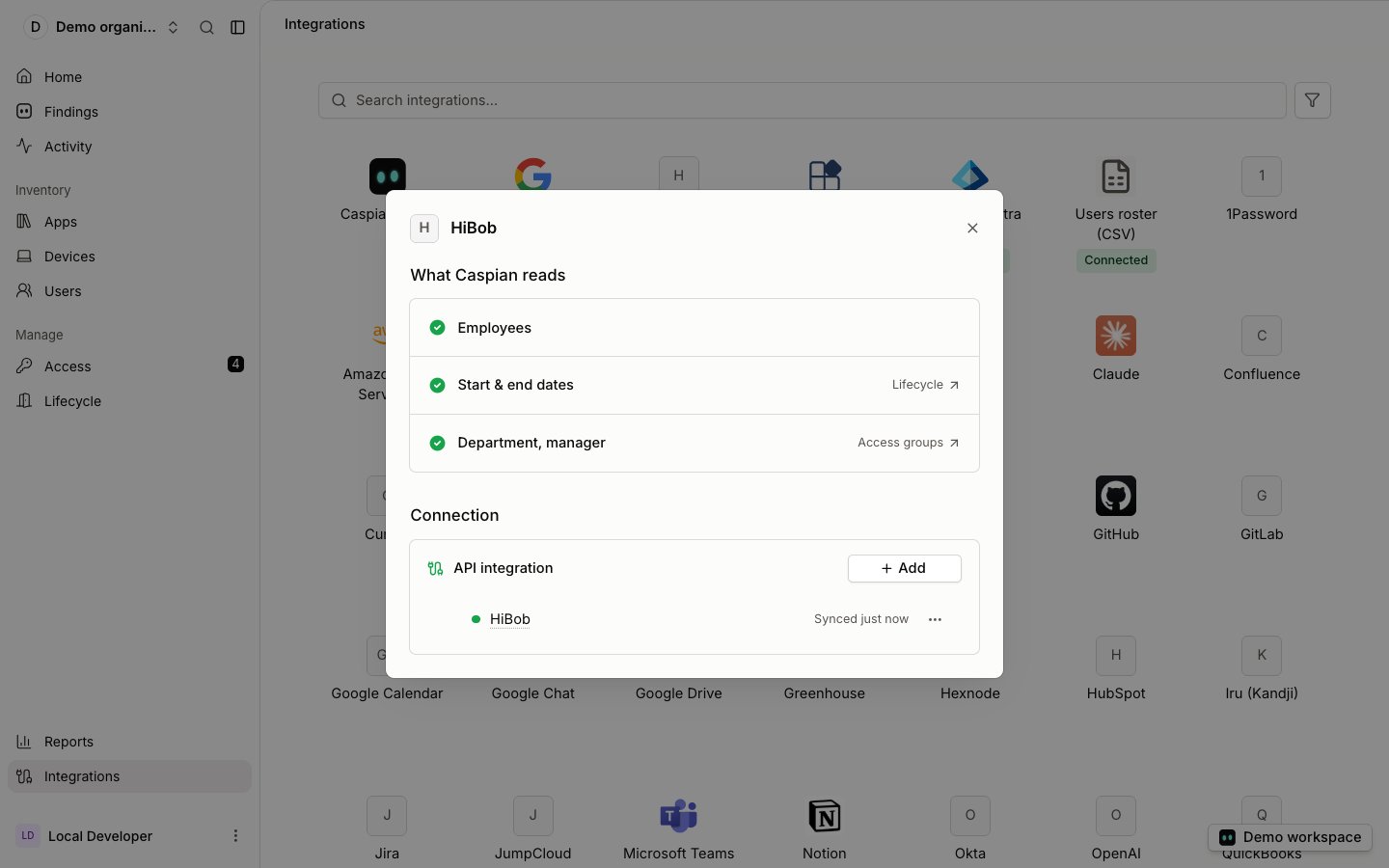
HiBob connected in Caspian: what it reads and when it last synced
What Caspian reads, and how often
Caspian asks Bob for three read-only scopes:employee_data:read, employee_data.history:read and company.metadata:read. With them it reads, for each employee:
A personal email is read only for one person at a time, when a workflow step sends that person their first-day account details at home. Caspian does not keep it in its copy of the company’s people.
Caspian does not ask for pay, bank details, address, date of birth, time off or documents.
How often: Caspian reads Bob every 6 hours. On a workflow with a HiBob trigger, Check now reads Bob right away, so a hire who was just added starts their run without waiting.
Caspian stores what it reads in the EU (AWS, Frankfurt). The Trust Center and the DPA describe how it is processed.
Set up workflows in Caspian
Connecting HiBob does not change anything on its own. You decide what happens when someone joins, moves or leaves, in Caspian’s Lifecycle workflows.- In Caspian, open Lifecycle and open the onboarding workflow (or the offboarding one for leavers).
- Under Trigger, choose HiBob:
- New hire: starts as soon as the hire is added in Bob, or a number of days before their start date.
- Employee leaves: starts as soon as the termination is in Bob, or a number of days before or after their last day.
- Department changes: starts when someone moves to another department, or to one department you name.
- Add the steps, for example: create the person’s account in the identity provider, order their laptop and add them to the right groups; the Access rules give them their apps. For a leaver: transfer their files, collect the laptop and suspend or remove their accounts.
- Click Publish. Each hire, leaver or move then starts its own run, which you follow under Lifecycle › Runs.
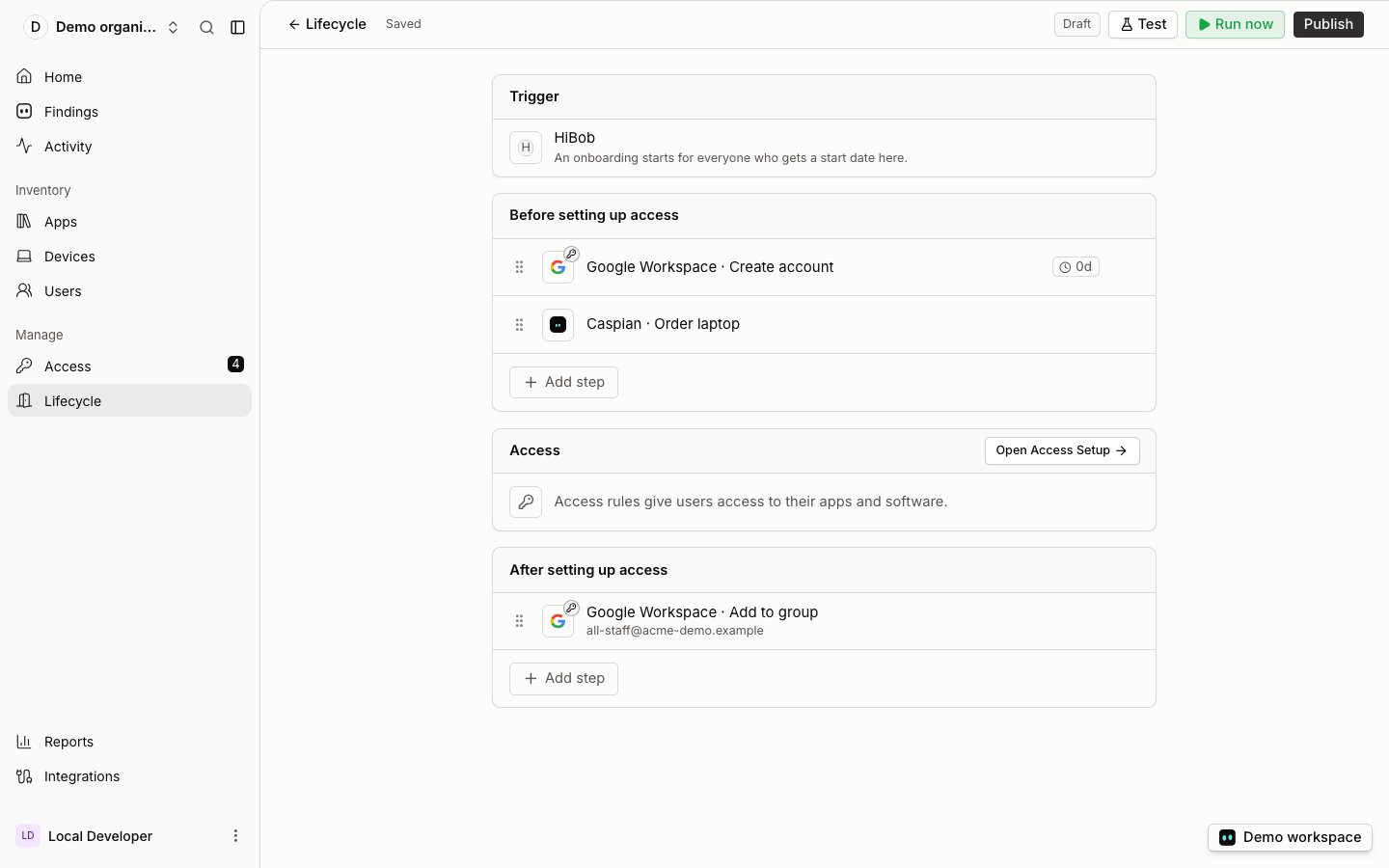
An onboarding workflow that starts on a HiBob start date
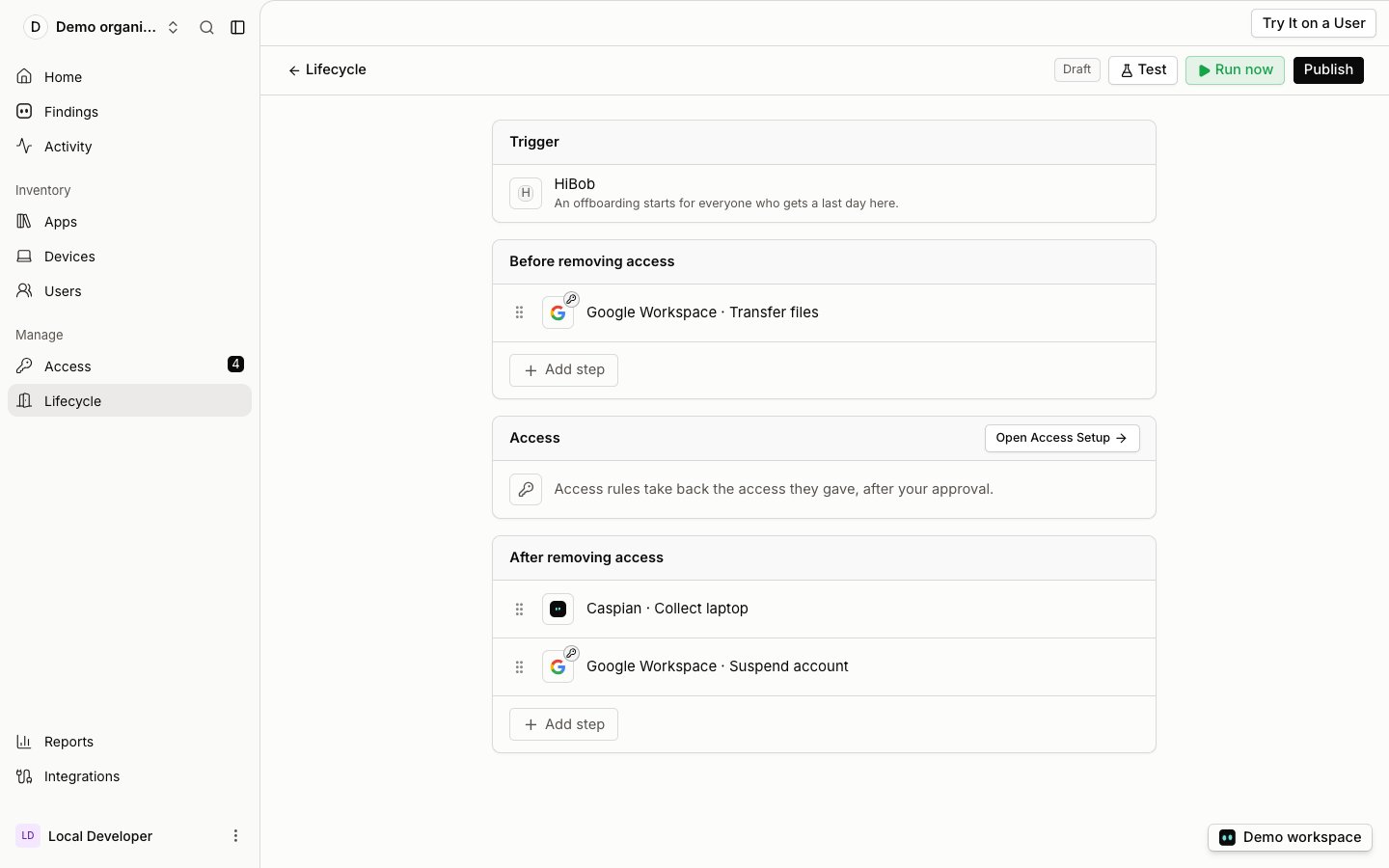
An offboarding workflow that starts when an employee leaves in HiBob
How the data flows
Data goes one way: from Bob to Caspian. Caspian then acts in the identity provider and the other apps, never in Bob.Joiner
- HR adds the hire in Bob with a start date.
- On its next read (every 6 hours, or Check now), Caspian sees the new person, before their first day.
- The person appears under Lifecycle › Runs as an upcoming joiner, and every workflow with the New hire trigger starts a run for them at the moment you chose.
- The run creates their accounts, adds their app access and creates the laptop task, so everything is ready on day one.
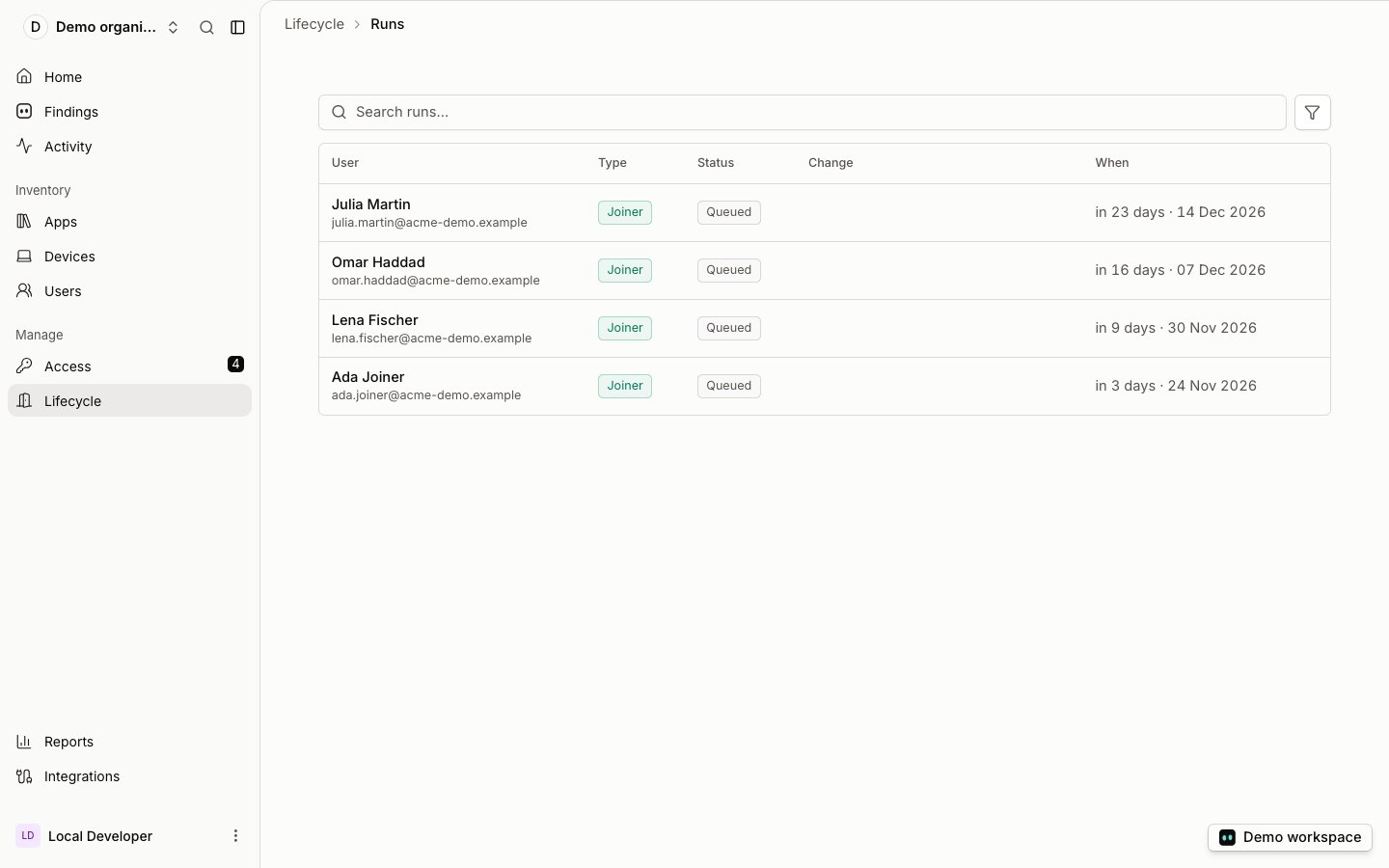
Upcoming joiners from HiBob under Lifecycle › Runs, each queued for their start date
Mover
- HR changes the person’s department in Bob.
- On its next read, Caspian sees the change and keeps the previous department.
- Every workflow with the Department changes trigger starts a run, for example to move the person into the new team’s groups and apps.
Leaver
- HR enters the termination and the last day in Bob.
- On its next read, Caspian sees the termination date, also when the last day is still weeks away.
- Every workflow with the Employee leaves trigger starts a run at the moment you chose: before, on or after the last day.
- The run removes the person’s access in the other apps. Caspian asks a person to approve each removal before it makes it, and logs it.
Uninstall
- In Bob, open the Bob Marketplace, then Manage apps.
- Under Installed apps, find Caspian and click Uninstall.
Troubleshooting
Hires who have not started yet, or people who left, are missing
Hires who have not started yet, or people who left, are missing
The People data access choice at install was not All company. Uninstall the app in Bob and install it again, choosing All company.
A hire who was just added does not show
A hire who was just added does not show
Caspian reads Bob every 6 hours. Open a workflow with a HiBob trigger and click Check now.
A leaver's run did not start
A leaver's run did not start
The run starts from the termination in Bob. Check that the termination and the last day are entered on the person in Bob, then click Check now.
A department change did not start a run
A department change did not start a run
Only a change of department starts the Department changes trigger. A workflow set to one department starts only for moves into that department.
HiBob shows as disconnected
HiBob shows as disconnected
The app was uninstalled in Bob, or Bob no longer accepts Caspian’s access. Connect again from Integrations › HiBob.
Someone shows twice, or is not matched to their accounts
Someone shows twice, or is not matched to their accounts
Caspian matches people on their work email. Check that the work email in Bob is the one in the identity provider.